A stranded automation is an automation that still runs, or could, but no longer serves the business, because something outside its own code has changed: where the work goes, what work there is, or the rules the work has to follow. Automation here means any tool that does a recurring task without a person starting it each time, for instance a Zapier workflow that copies new leads into a spreadsheet.
Why don't stranded automations show up as problems?
Because the alerts are pointed at the wrong thing. Monitoring on a tool like Zapier tells you when a step fails, and a stranded automation doesn't fail. It keeps doing exactly what it was told, or it stops quietly because the thing it fed has gone, and the cost turns up somewhere else, for instance a follow-up email to a lead about a service you no longer offer. That last one is the expensive kind, because a customer sees it before you do.
Gartner predicted in June 2025 that over 40% of agentic AI projects, meaning AI tools that take a series of actions on their own toward a goal, will be canceled by the end of 2027, citing escalating costs, unclear business value or inadequate risk controls (Gartner, June 25, 2025). That forecast covers bigger projects than most small businesses run, and it is a prediction rather than a count. What it does support is narrower: projects like these tend to be canceled for business reasons, not technical ones.
What happened to our publishing automation?
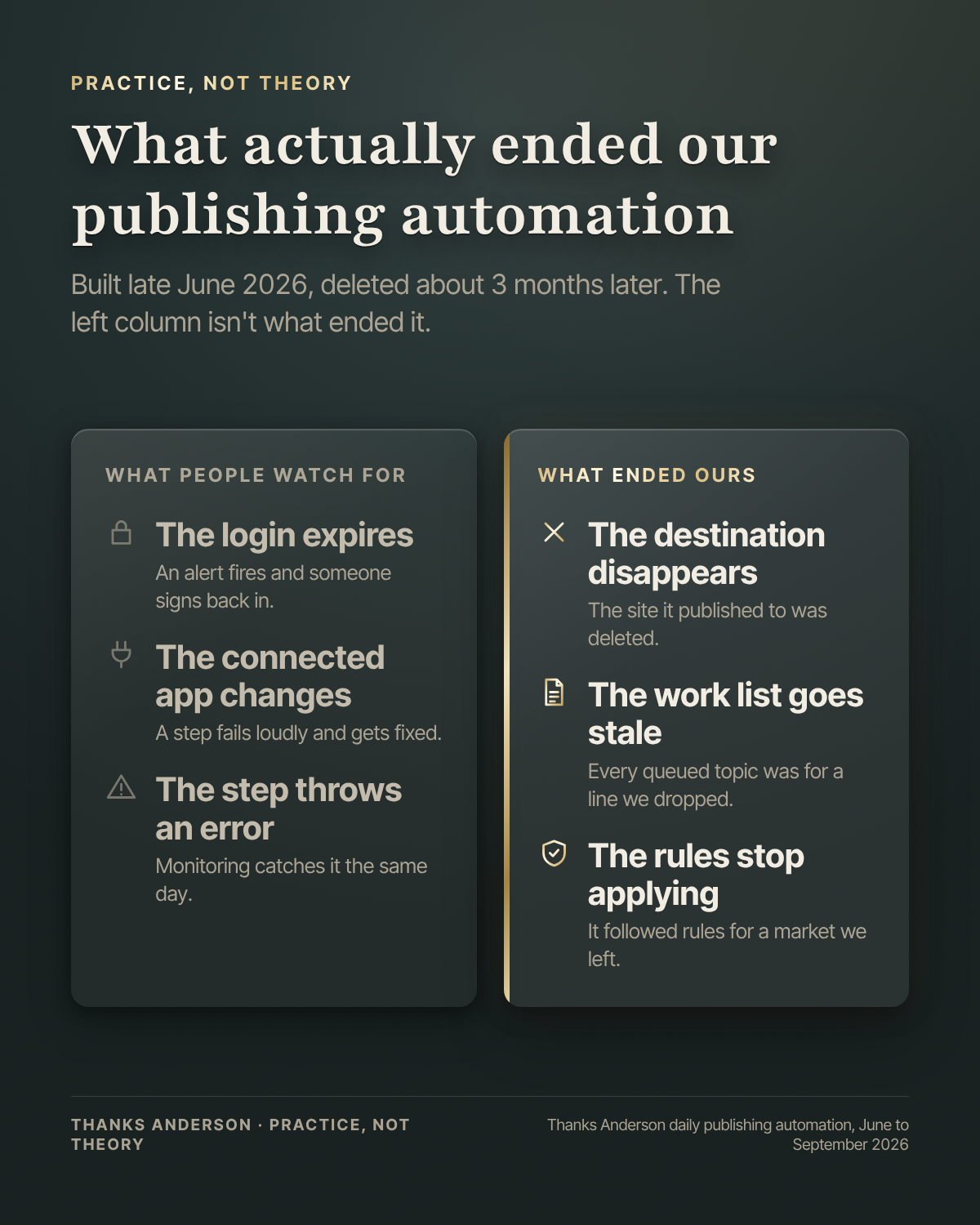
We built it in late June 2026 to write and publish one article a day to a WordPress site for a product line we have since stopped selling. It was publishing daily by July. By late September four things had changed, and none of them were inside the automation.
- The destination went away. The site it published to was deleted.
- The work list went stale. Every topic in its queue belonged to the line we dropped.
- The rules stopped applying. It followed industry rules written for that market, which stopped mattering once we left it.
- The sign-off changed. It published without a person reading each post first. Every post on our blog is now read and approved by a person before it goes live, and a tool built to skip that step can't be adapted without becoming a different tool.
So there was nothing to fix. Every step still worked. We deleted it, roughly three months after we built it.
What should you settle before you automate something?
Four things, and none of them is technical.
- Who owns it. One named person who would notice if it stopped. "The team" is not an owner.
- What it depends on. The website, the product line, the list it pulls from, the rules it follows. Write them down. When one changes, look at the automation.
- When it gets reviewed. A date on the calendar, roughly once a quarter, to ask whether it still does something you need. Ours would have lasted one review.
- How it ends. Decide in advance what turning it off looks like. If nobody knows, that is a finding on its own.
If you are still deciding what to automate first, the Bottleneck Finder™ is a free diagnostic that points at the bottleneck worth fixing, and sometimes at the answer that nothing should be built yet. When building is the right call, that work is on our custom AI tools and automation page.
Where doesn't this apply?
If the business around a task is stable, for instance payroll reminders or copying invoices between two apps you are keeping, the technical failures are the real risk and ordinary error alerts cover them. Skip the review date for those.
A review costs a few minutes a quarter per automation, which is nothing for three and real time for thirty, and a person still has to make the call to retire one. Our example is also one automation in one business. It shows the pattern, not how often it happens.
Which of your automations would anyone notice if it stopped tomorrow? If the answer comes easily, you are in good shape.